Date
Fall 2025
Project Type
Graduate Academic Project
Tools Used
Figma
FigJam
Adobe Illustrator
Qualtrics
Usertesting.com
Responsibilities
User Research
UX / UI Design
From Problem to Opportunity

Between work, school, and life, people don’t have mental space to remember what’s expiring or plan meals around what’s already in the fridge.

Create a system that makes fridge management effortless by surfacing what matters most: what needs attention, what you can cook now, and what belongs on your next grocery run.
We Want to Help the Home Chef...
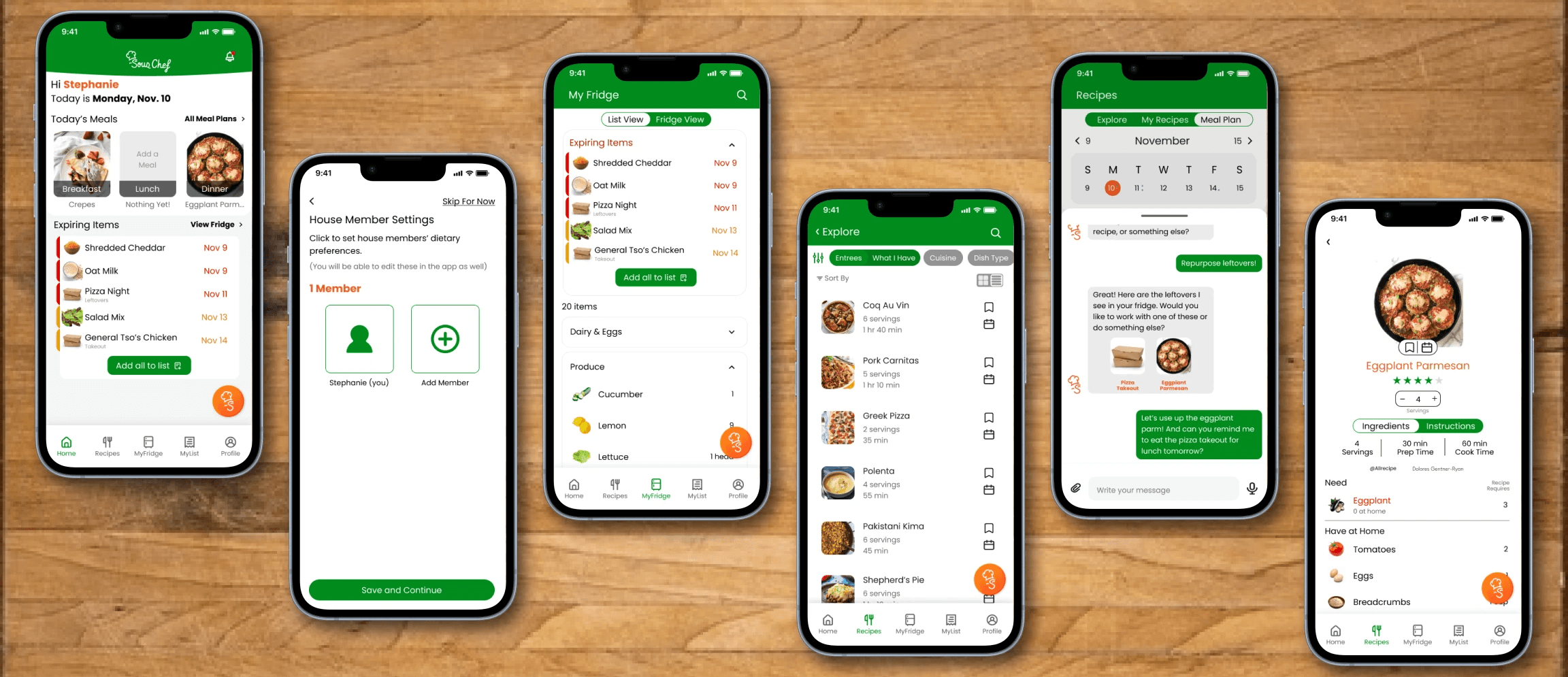
Everything at a glance and just a tap away.
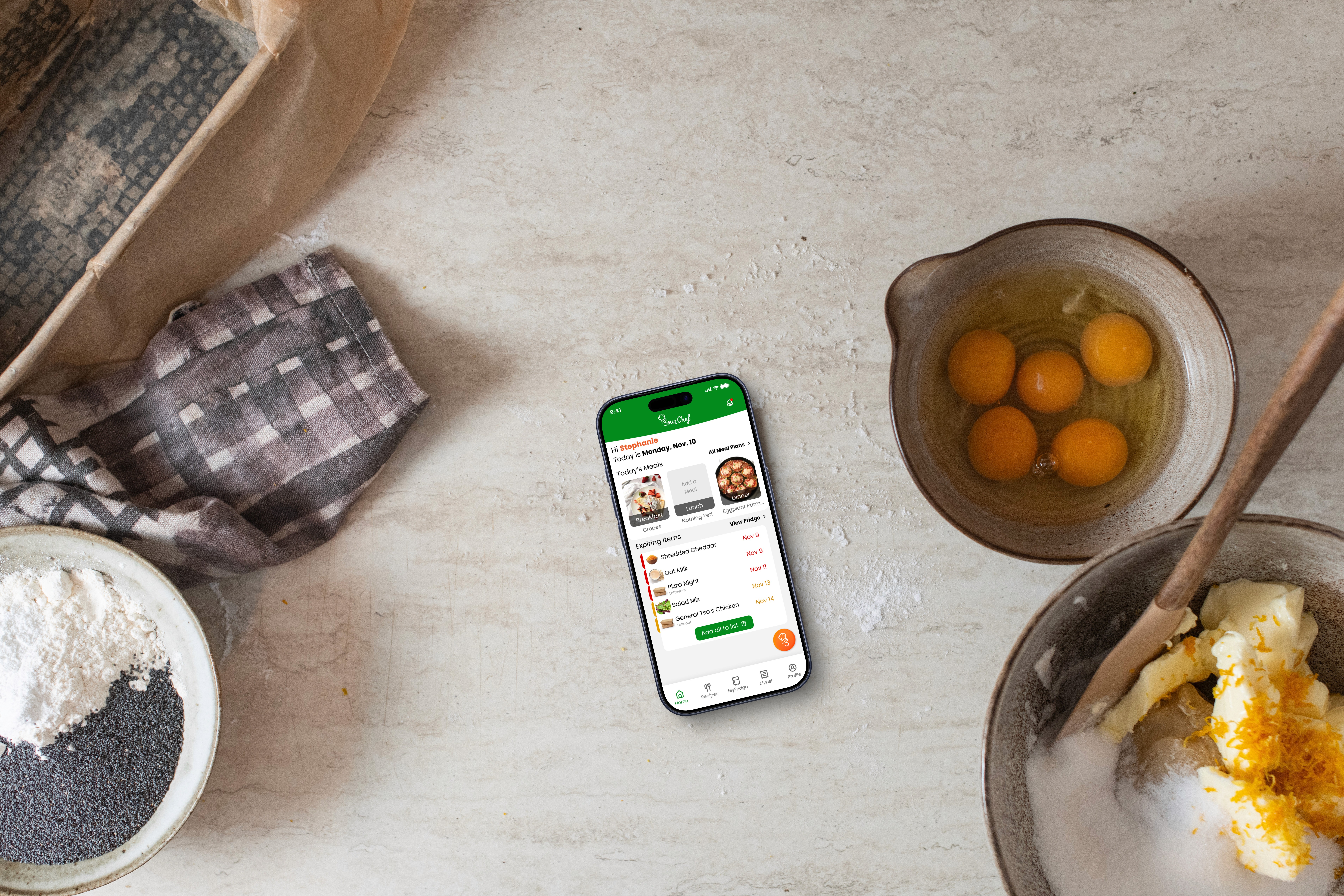
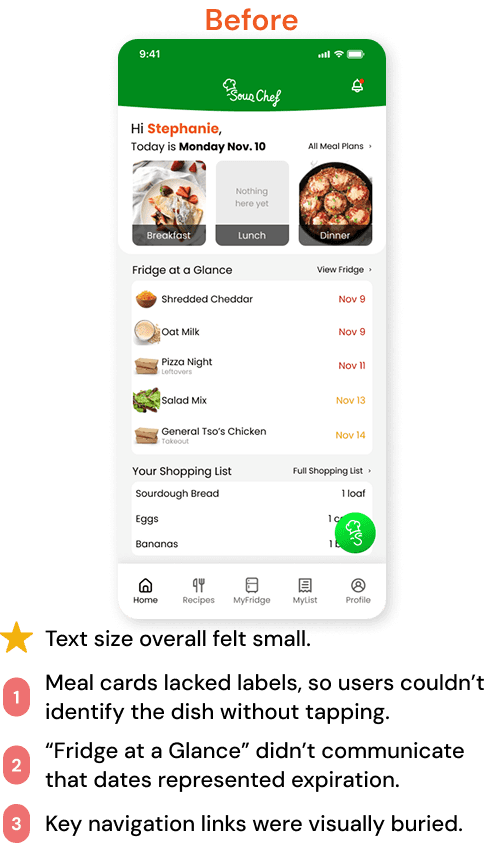
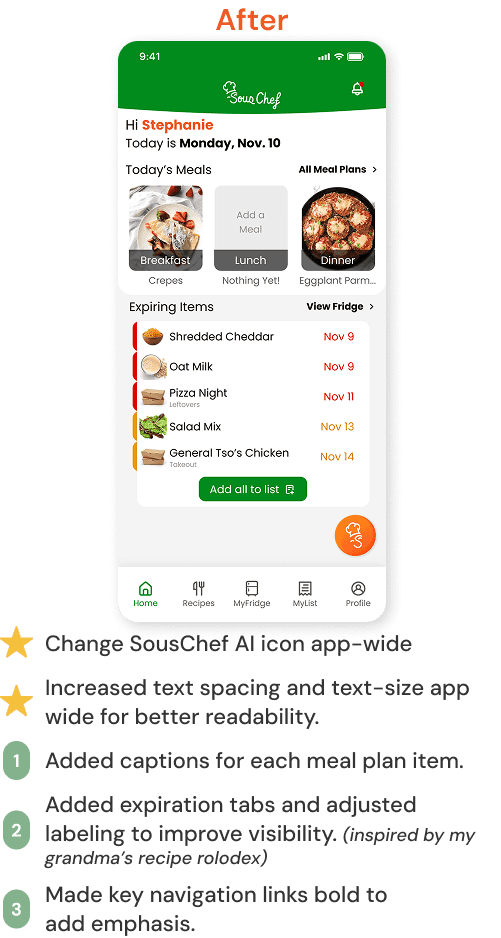
The home page gives users an at-a-glance view of their day with meals, expiring items, and quick access to their fridge.
“Functioned exactly as expected, a great user experience.”
Respondent to Testing #4
Quick Cues for Easier Navigation
An organized look at everything you have on hand, including quantities, categories, and items that need attention.
“Adding it to the grocery list is great, but prioritizing ingredients is awesome.”
Respondent to Testing #4
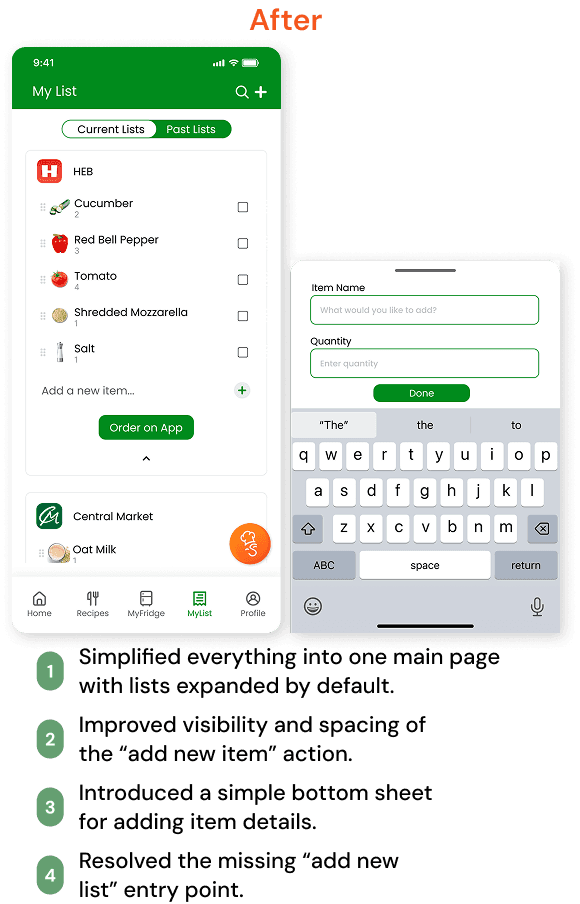
Add to your shopping list and integrate with 3rd-party apps
The Shopping List keeps everything organized in one place so you can quickly see what they need to grab at the store, or send to a connected app for curbside!
Plan Your Plate in a Few Taps
Meal Plan lets you schedule their meals in just a few taps. Browse options, personalize your menu, and review planned meals at a glance.
A Flexible, Hands-Free Chat Companion for Your Kitchen
SousChef AI chat helps you explore recipes, use up leftovers, and get quick suggestions based on what you have.
“It's creative that it's coming up with these recipes and wanting to integrate your leftovers.”
Respondent to Testing #4





Initial Concept
Shared frustration: wasted food and tools that don’t help.
Opportunity: a smarter way to cook with what you already have.
Direction: an all-in-one app for anyone from students, to busy parents, to the full-fledged home chef.
Competitive Analysis
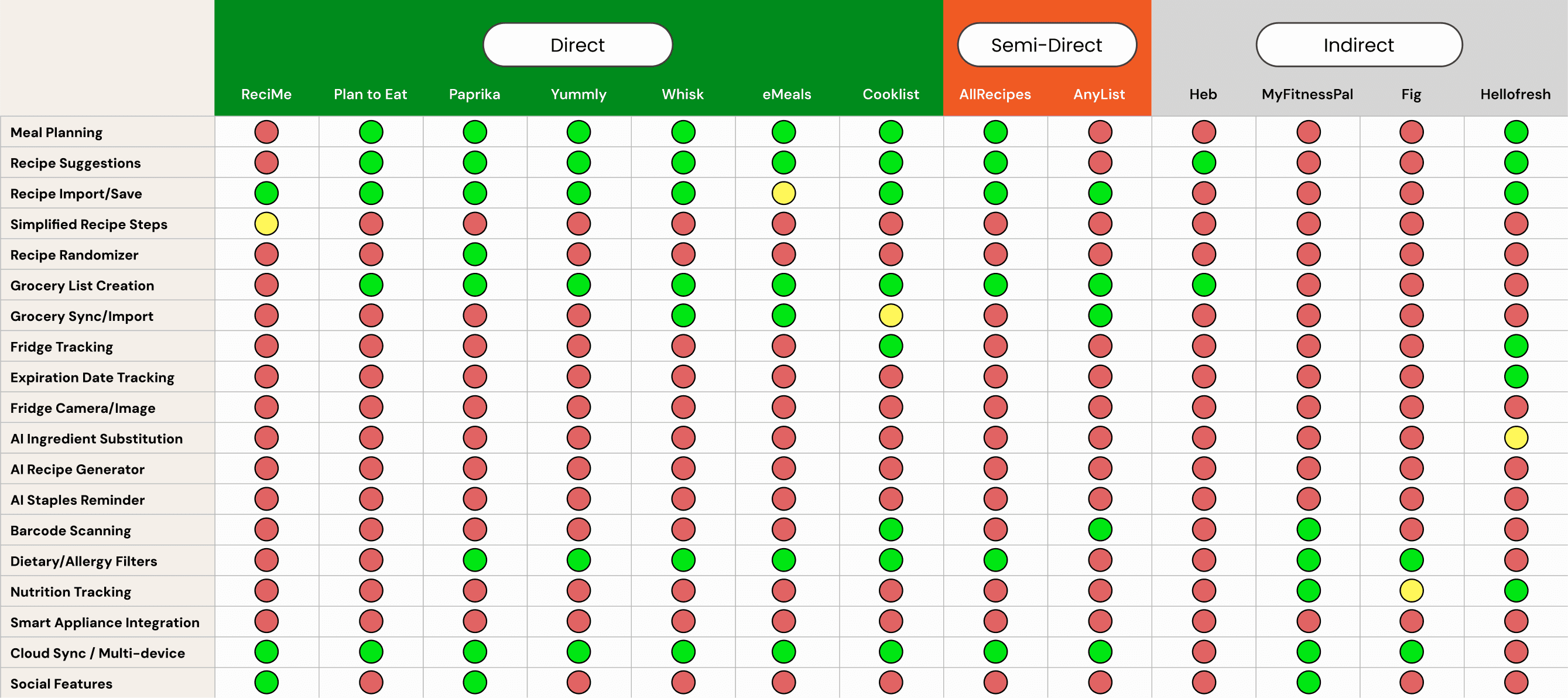
We conducted an in-depth analysis comparing various features of meal planning and recipe apps against a list of eight direct and six indirect competitors.
The biggest opportunities for differentiation lie in AI and waste-saving features, representing an opportunity for innovation.
User Survey
With a few key features in mind, we created a survey to understand how people handle meal planning, grocery lists, and what AI tools they’d find useful.
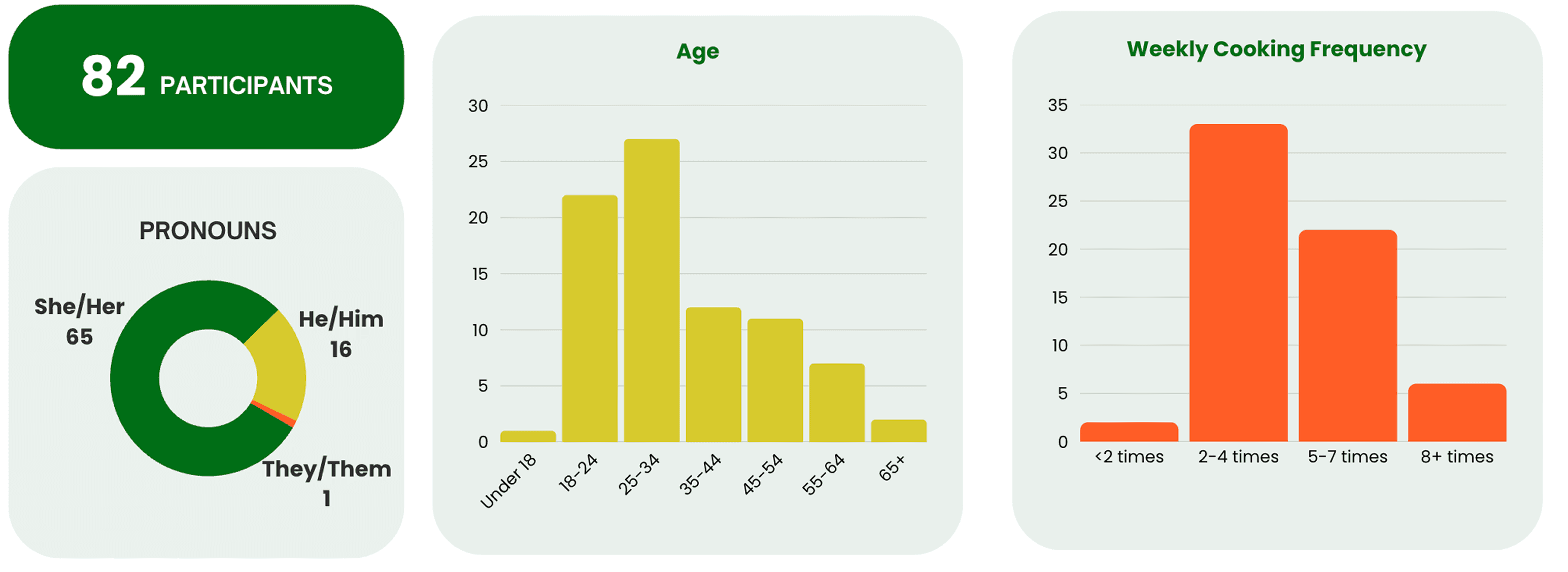
AI Sous Chef was the top feature (84.5%), followed by Grocery Item Tracking (78.5%). Duplicate Reminders and importing online orders also scored well, showing clear interest in tools that reduce waste and simplify daily cooking.
Affinity Map
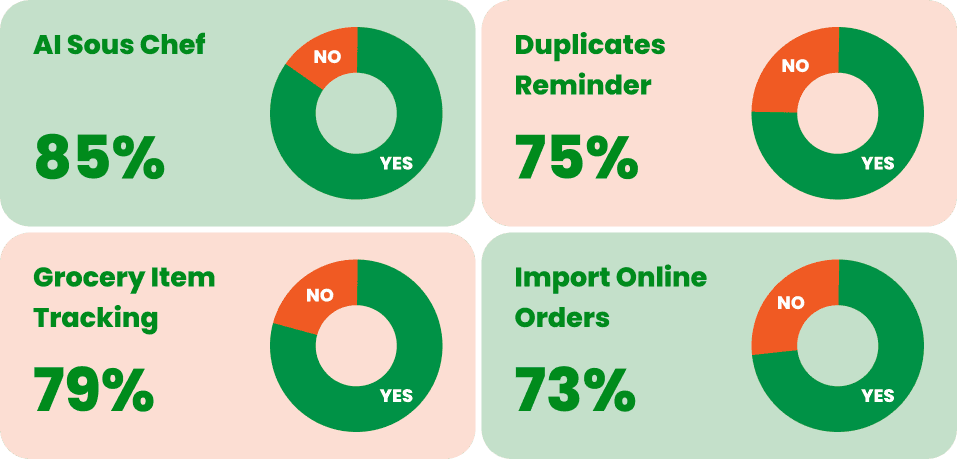
We organized the qualitative data from our user survey into an affinity diagram to identify major themes and patterns.
Empathy Map
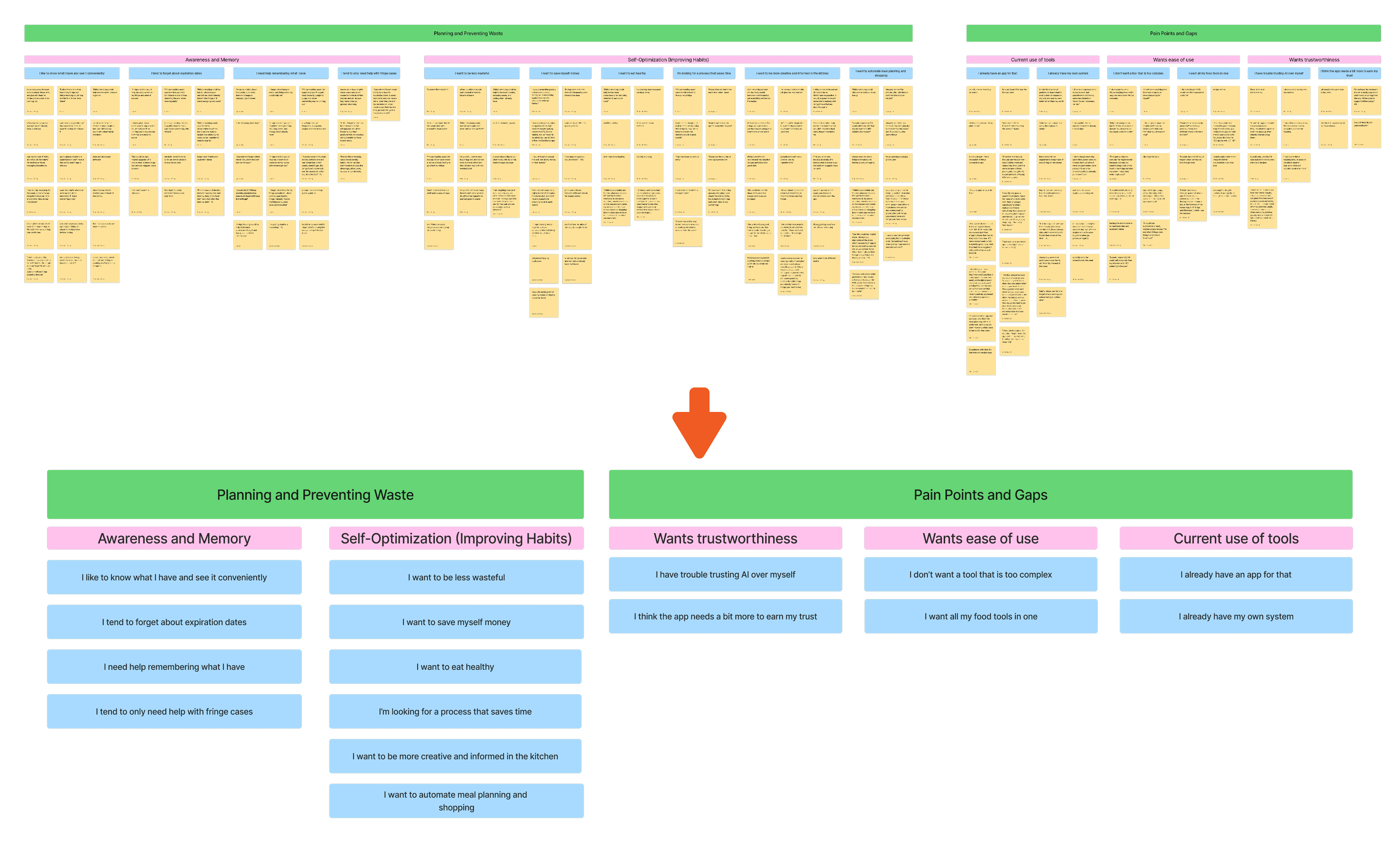
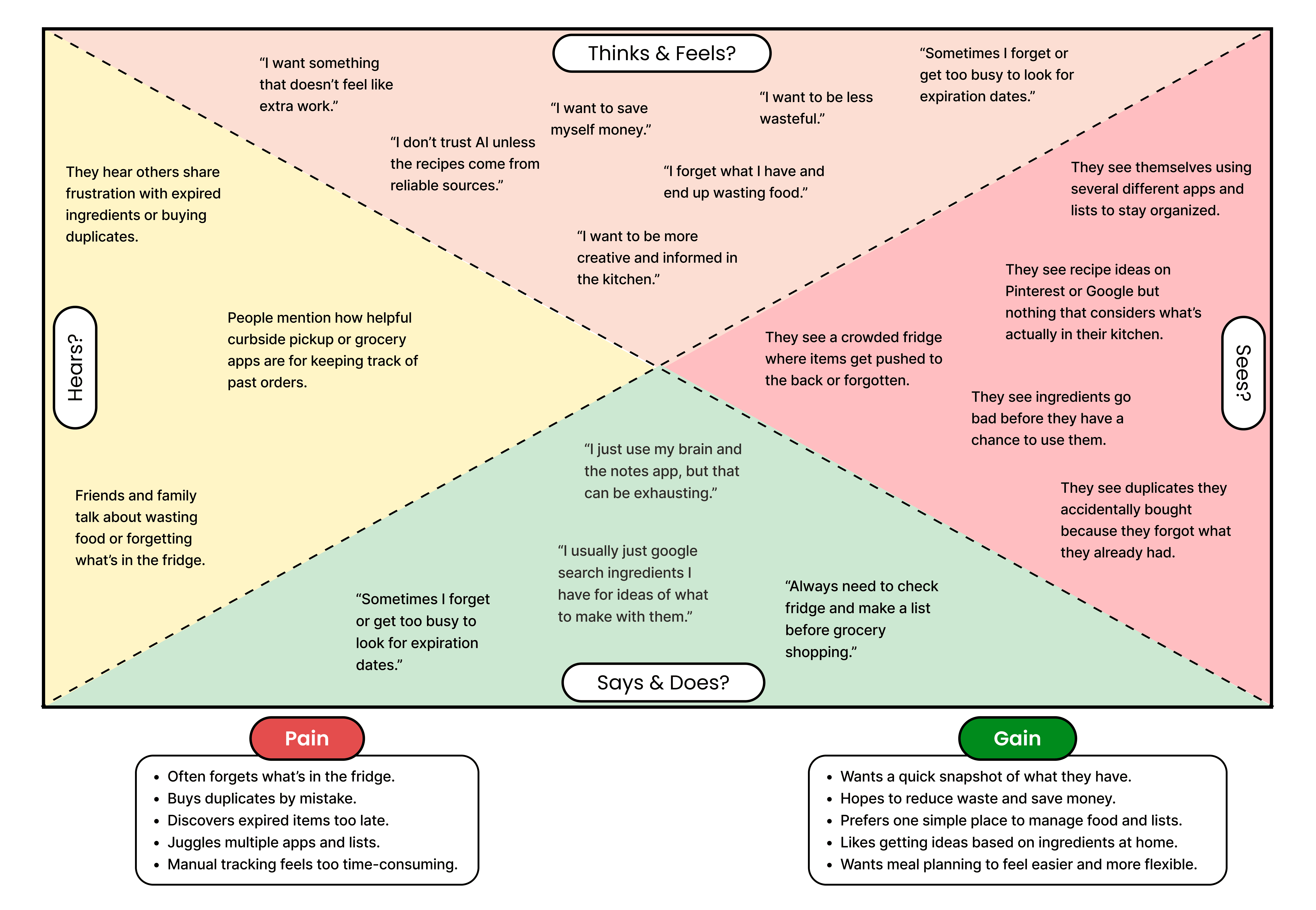
I then took the qualitative data and built out an empathy map to better understand the needs of home cooks and their current pain points.
User Personas
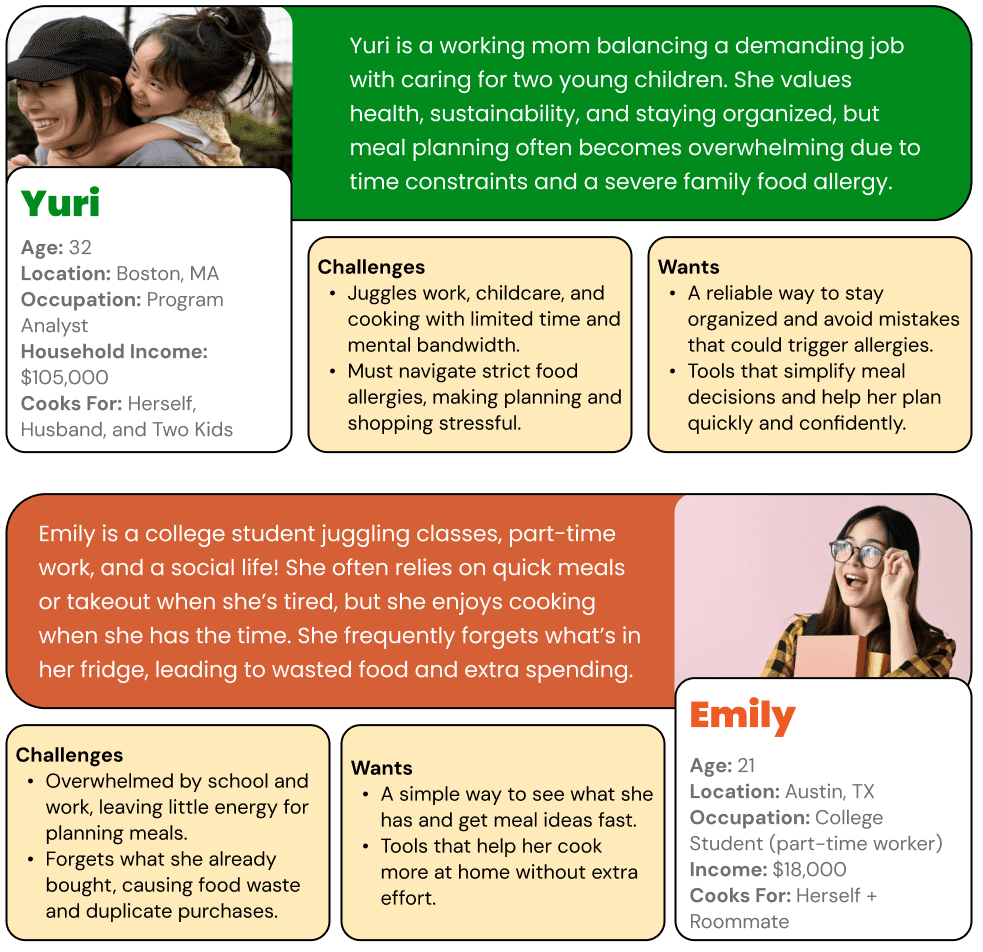
Meet Yuri & Emily!
Design Explorations
Information Architecture
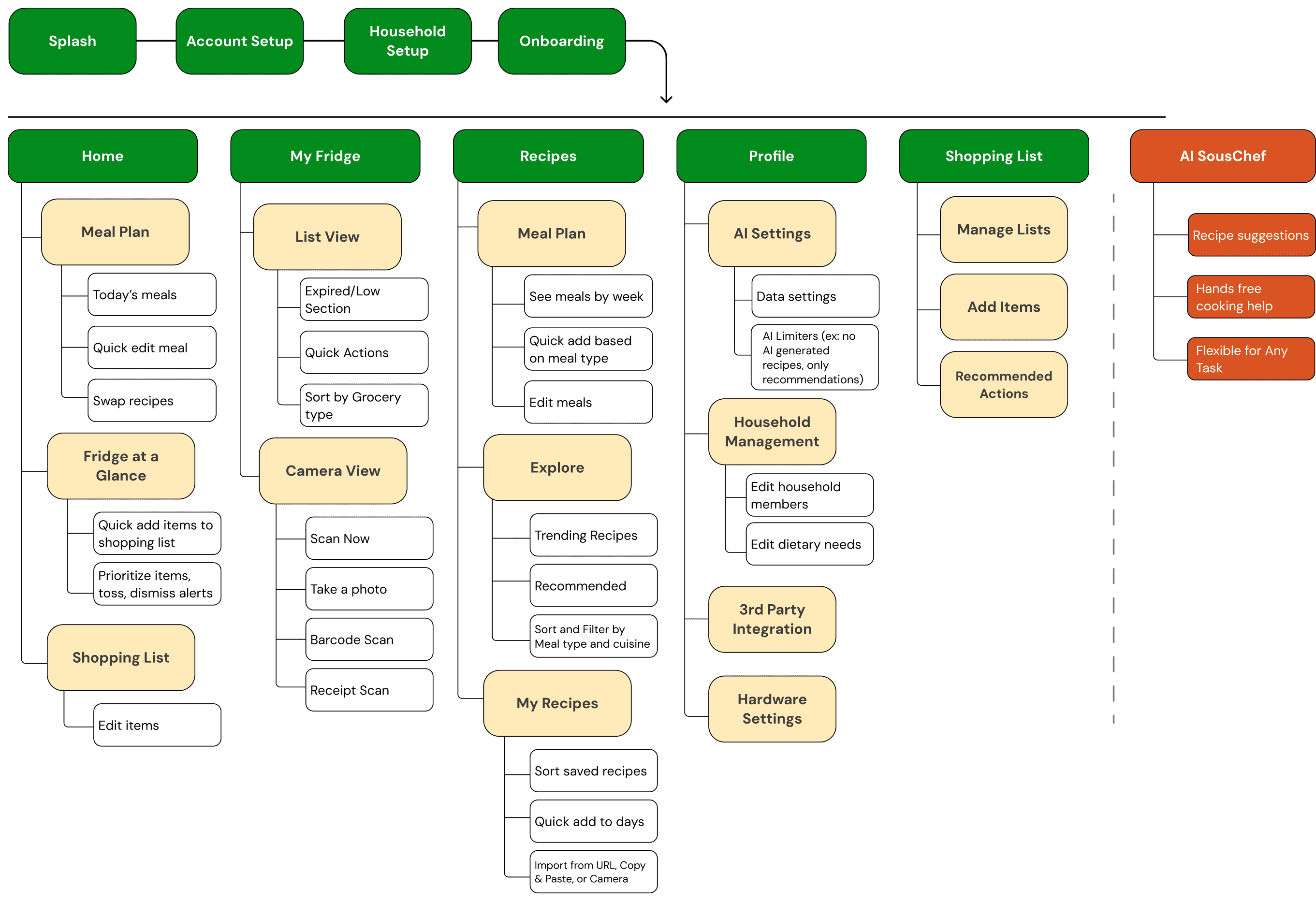
After better understanding our features, I developed our ideas into a clear information architecture that organizes SousChef’s core flows and the relationships between each feature. Our team reviewed them together and aligned on the final direction.
Concept Sketches
My Sketches
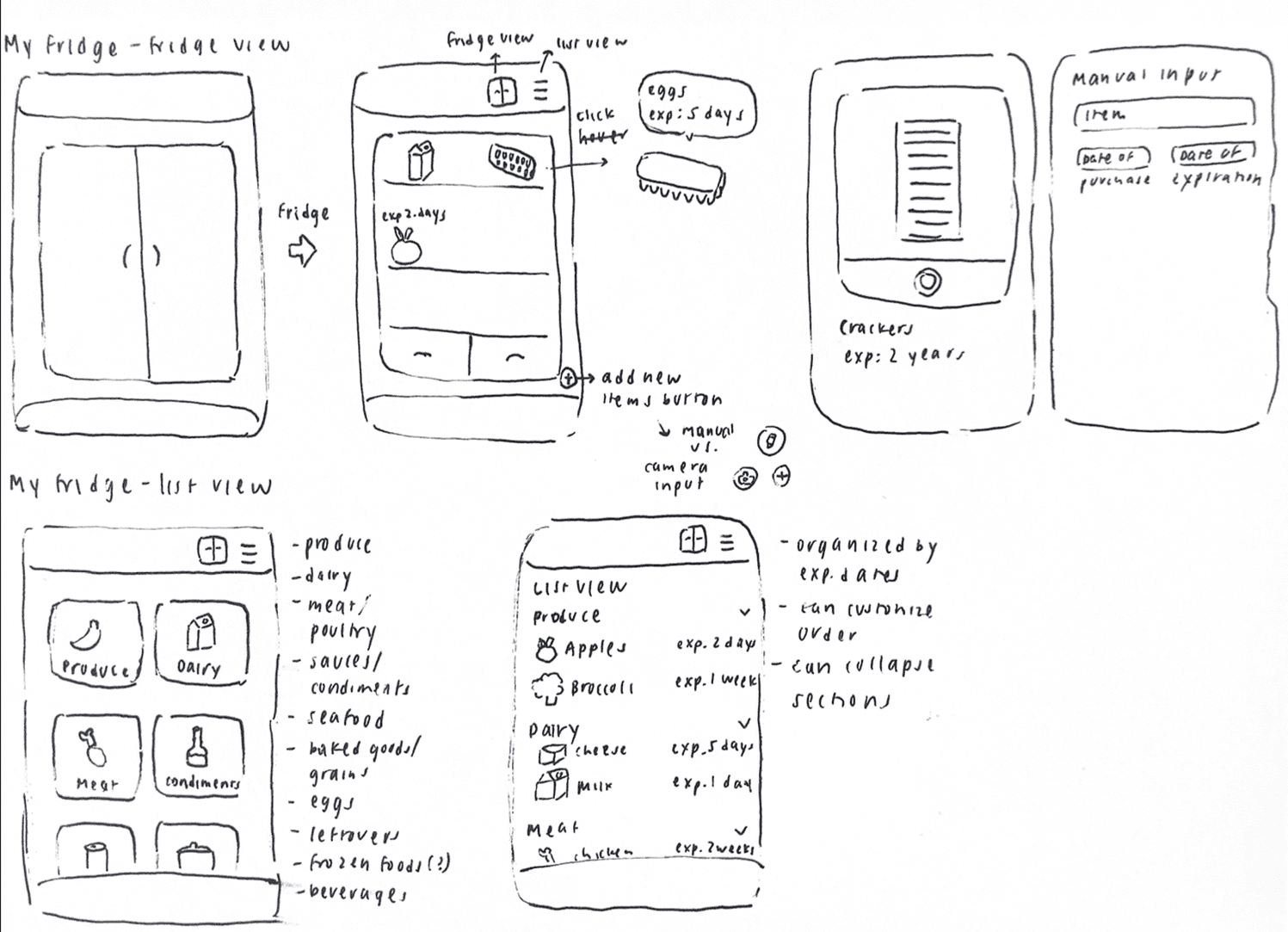
Groupmember Sketches
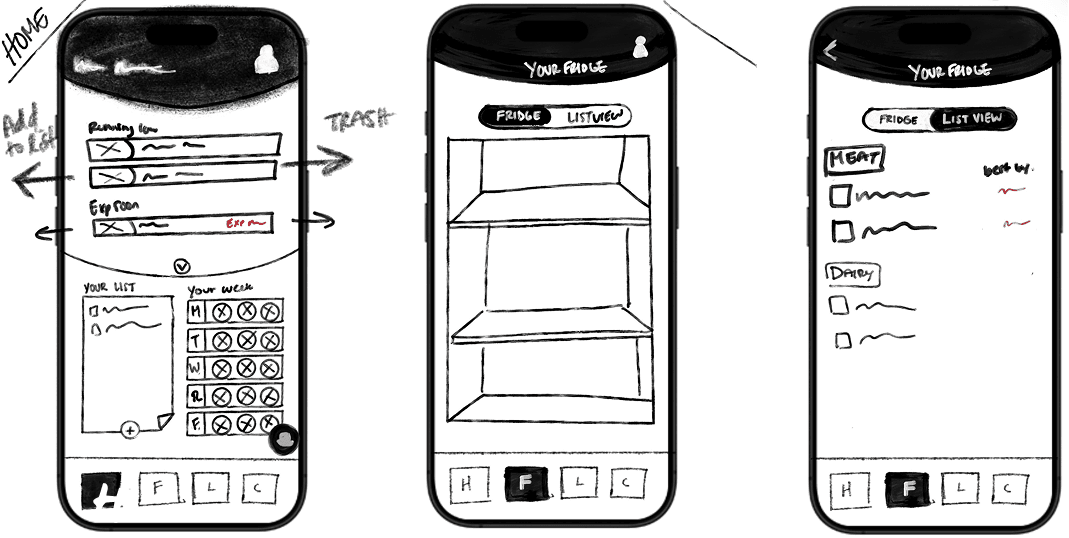
We started wireframing by sketching ideas on paper, exploring different layouts and ways users might interact with our app. These early drawings helped us visualize the structure and flow before committing to a direction.
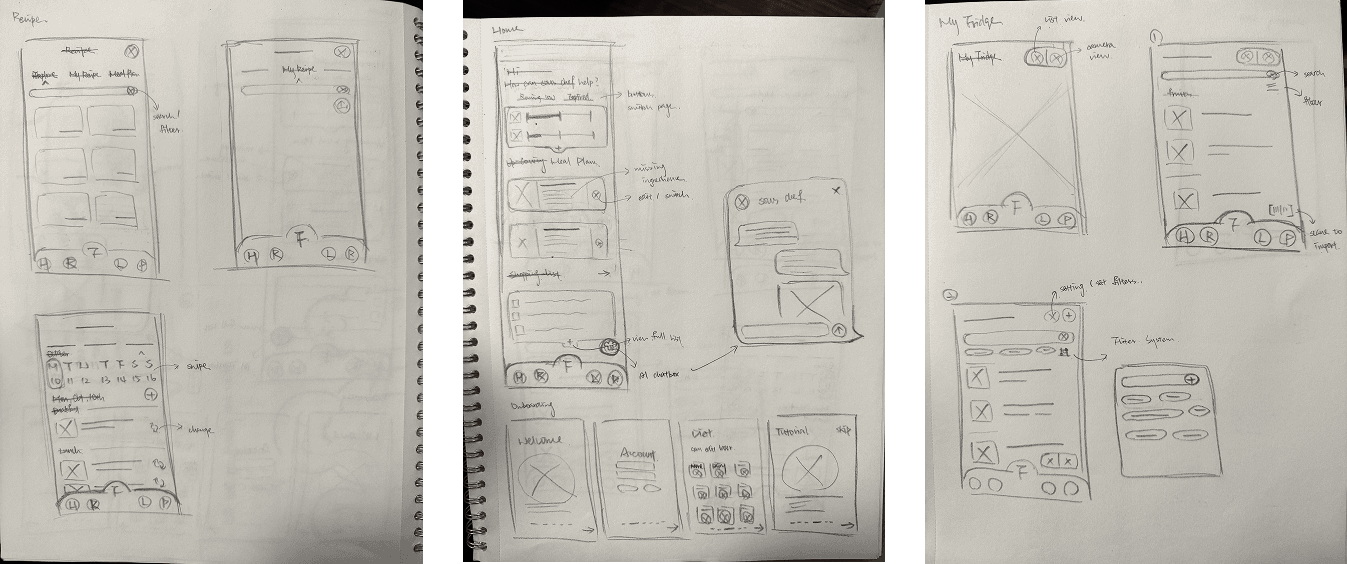
Groupmember Sketches
From Paper to Digital
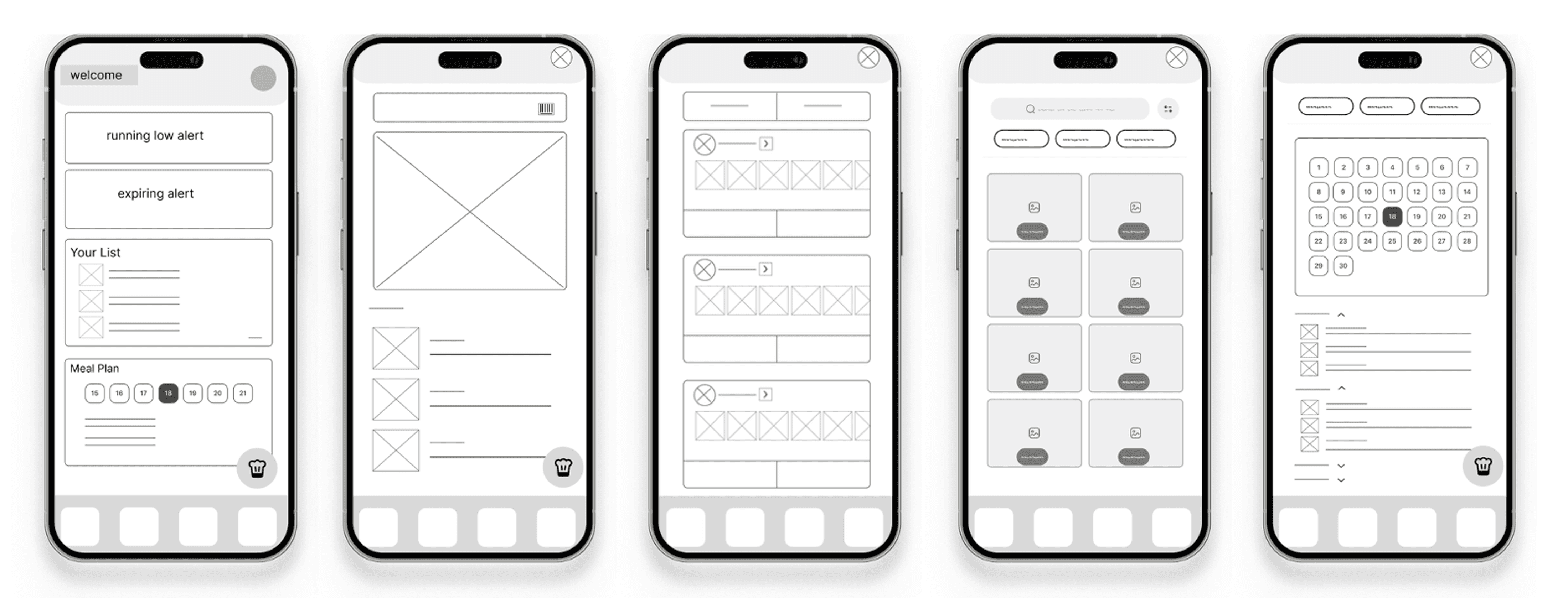
Wireframes
Once we felt confident in our concept, we transformed our sketches into a low-fidelity prototype to map out the key features and user paths.
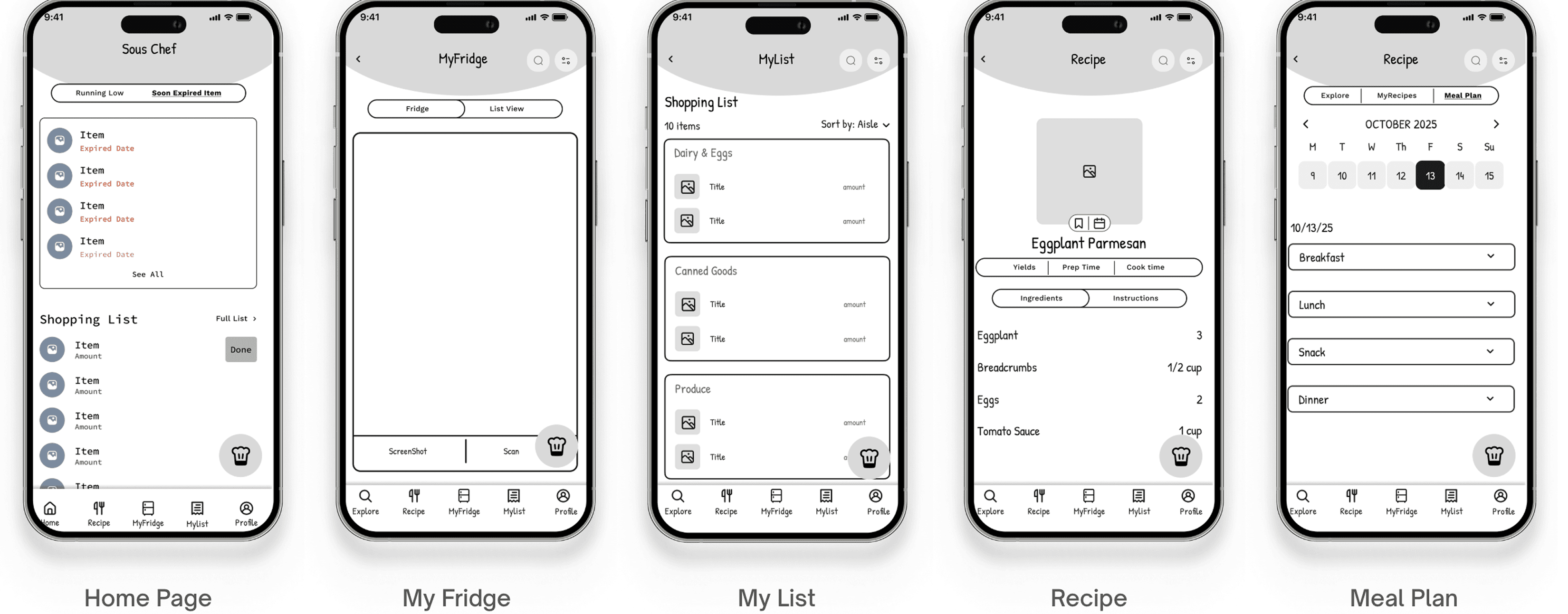
Mid Fidelity Prototypes
Then we developed a testable Mid-Fi Prototype to validate the fundamental structure, information architecture, and core task completion paths.
Test, Iterate, Repeat
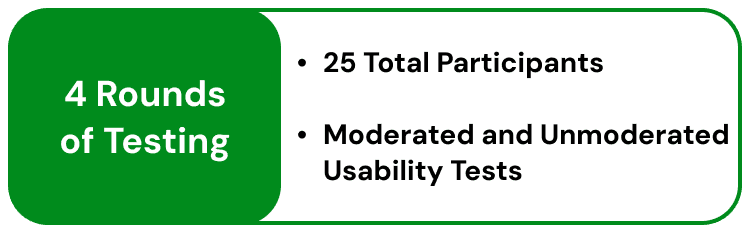
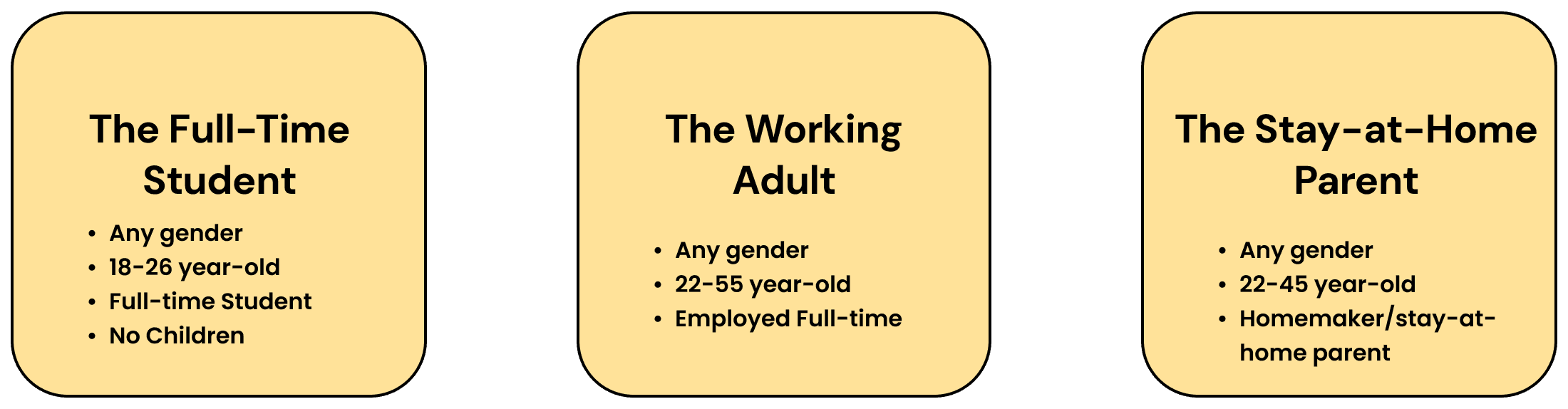
Defining the Test Users
Expanding past our initial survey and personas, we established three core test users to guide our testing demographics.
Testing #1 - Mid-Fi Moderated Think-aloud
Moderated think aloud with 5 total participants.
We had participants talk through several core mid fidelity wire flows in order to better understand if our current designs were on the right track and if we were missing any core functions our user groups would most value.
Insights:
Test users affirmed the usefulness of the AI Recipe Suggestions, Recipe saving, Grocery Shopping List, and Fridge Camera Scan.
Testing #2 - Hi-Fi Moderated Think-aloud
Moderated think aloud with 5 total participants.
Now with 5 core task flows prototyped, we felt confident moving into another round of testing. This round was also a moderated think-aloud but with 5 new participants.
Insights
Informed what information user’s would like to see during onboarding.
Helped determine which actions needed more prominence and readability in the design.
Main concerns centered on readability, clarity, trust in dates, and reducing manual effort.
Testing #3 - Hi-Fi Unmoderated Think-aloud - Usertesting.com
Moderated think aloud with 9 total participants, represented evenly across our 3 core demographics
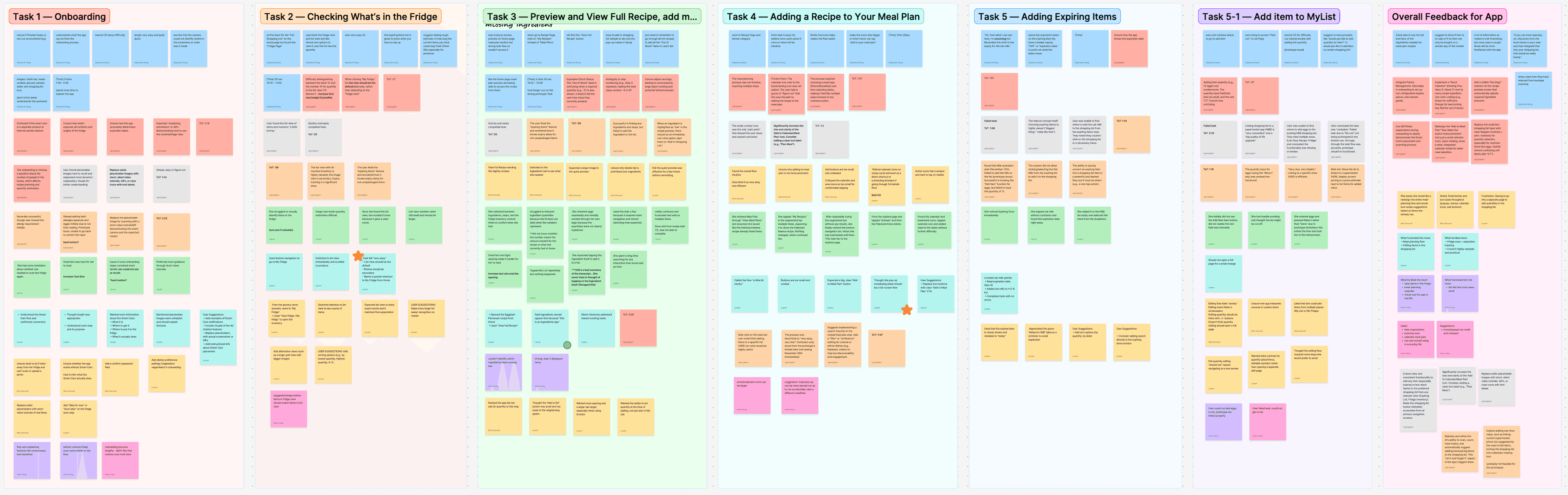
This test yielded the majority of our insights and major changes before our final version. We came away with a lot of feedback to make sense of
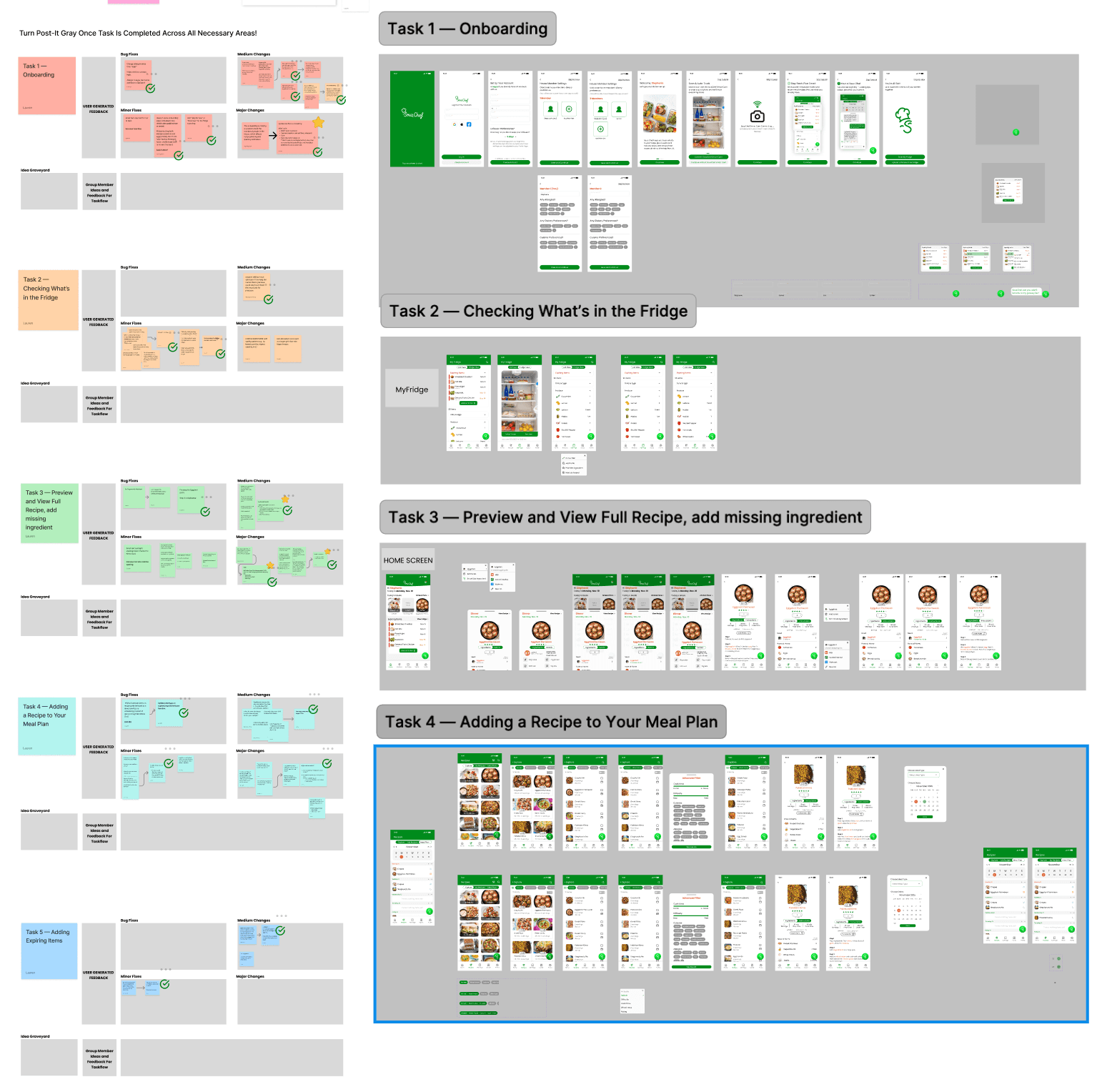
Making Sense of our User Testing Data
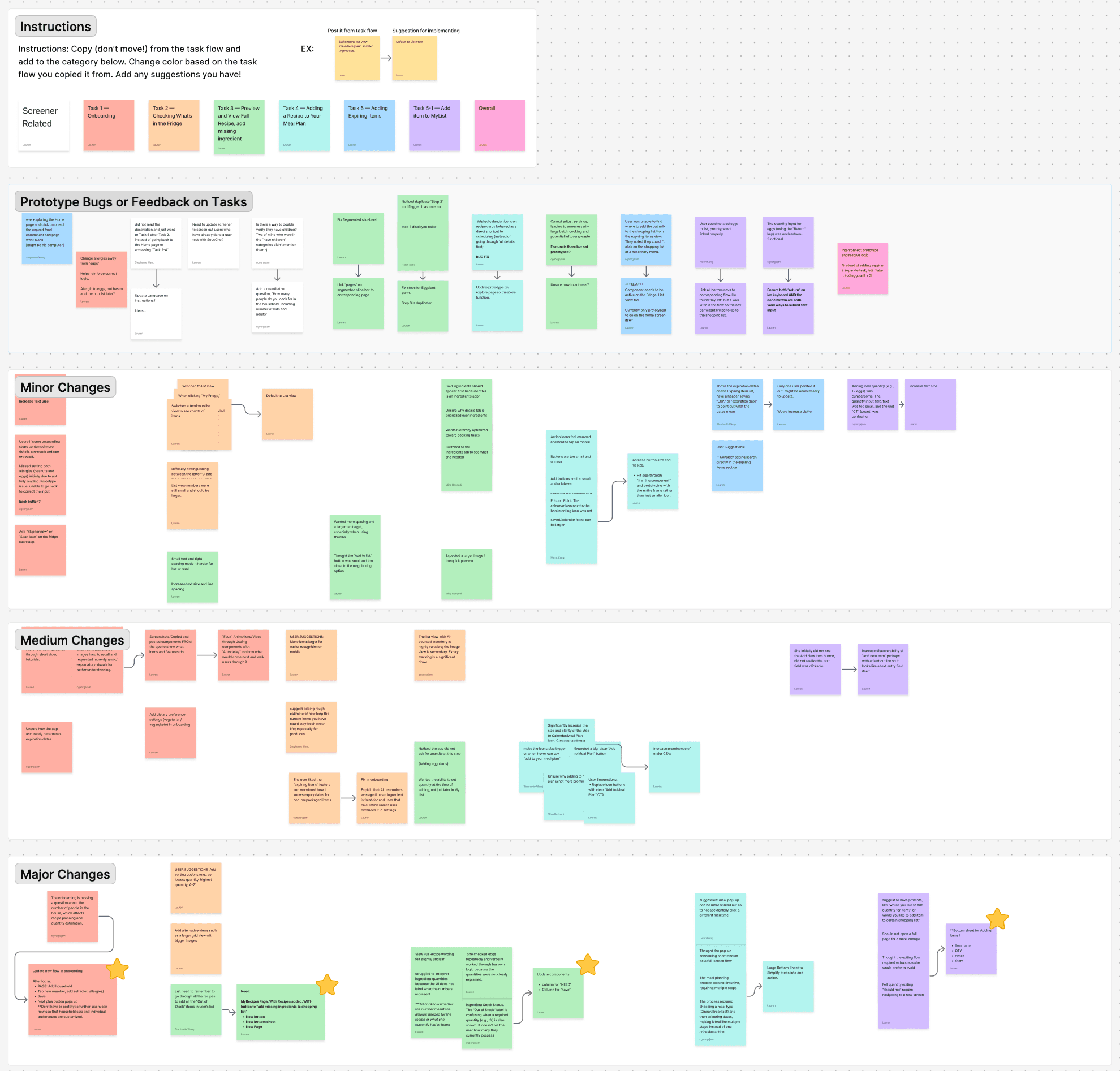
To manage the volume of feedback from Round 3 testing, I created a structured system that helped our team move from raw notes to clear, actionable design changes.
Testing #4 - Hi-Fi Unmoderated Think-aloud 2 - Usertesting.com
Moderated think aloud with 6 total participants, represented evenly across our 3 core demographics.
In this testing round, tests were overall much quicker and had a much higher completion rate and overall “easiness” rating of the tasks.
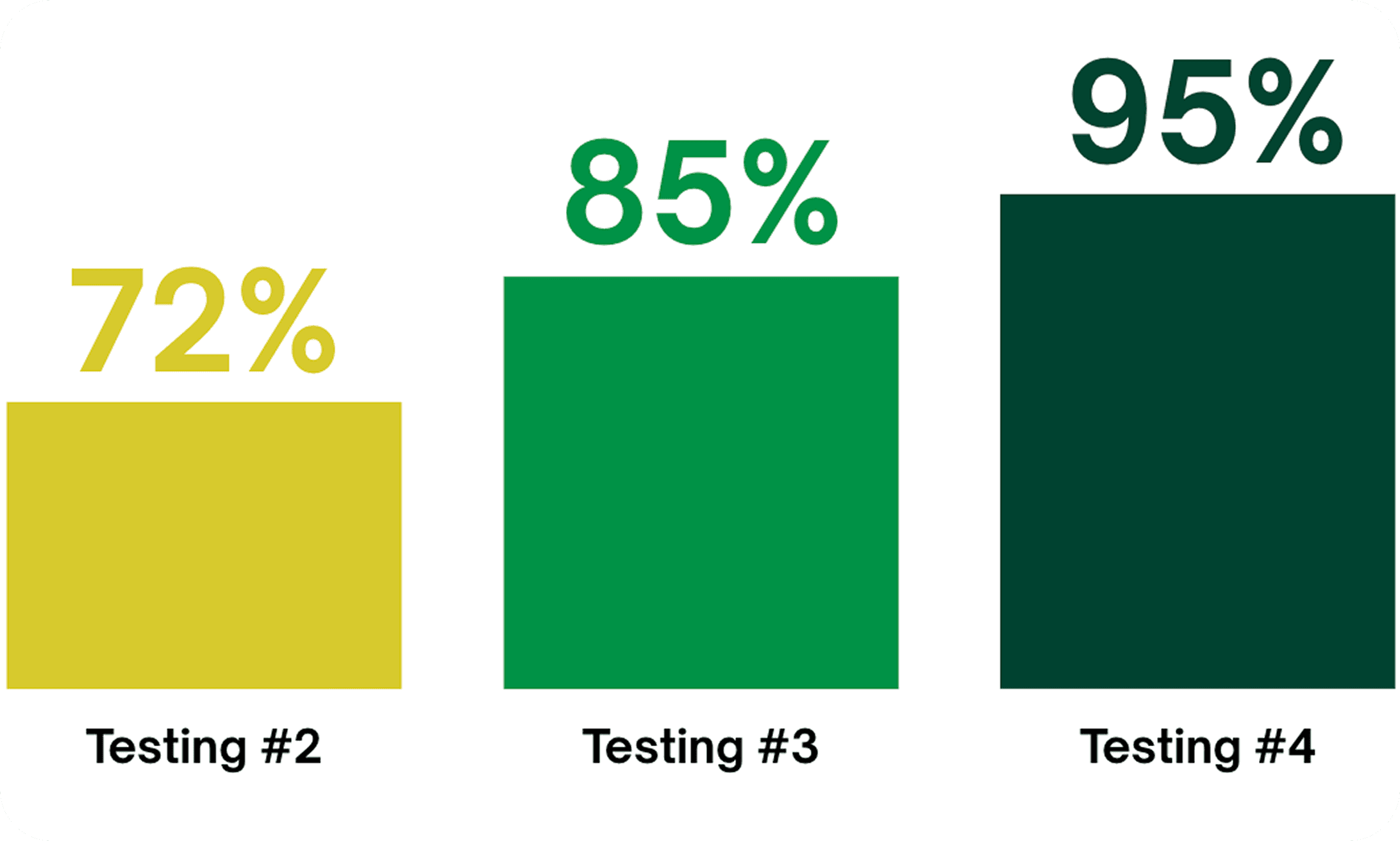
Task Success Completion
We saw a clear improvement across the three rounds of Hi-fi testing. This progression shows how each iteration directly strengthened the usability of our design.
From First Prototype to Final
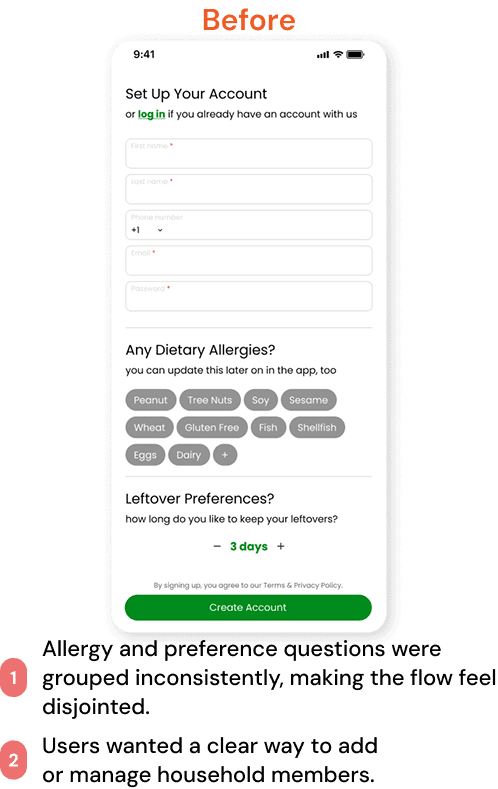
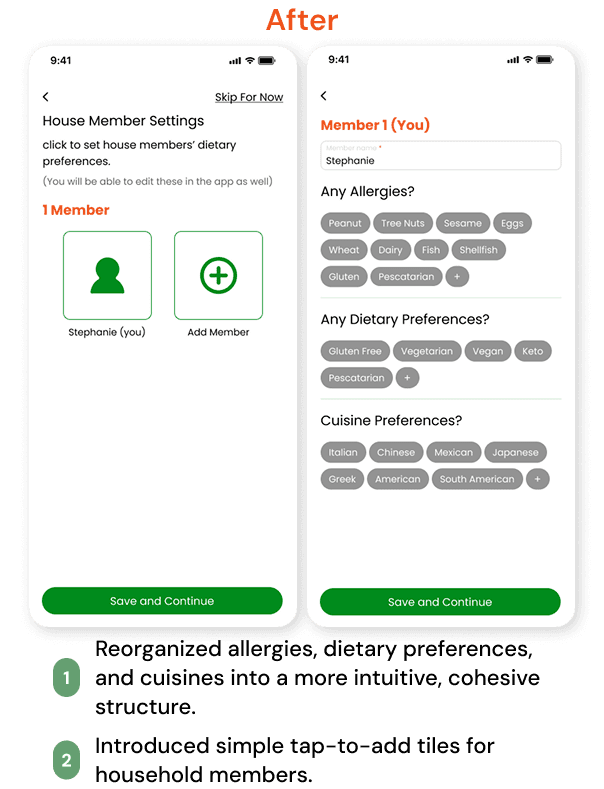
Onboarding
Home Screen
MyFridge
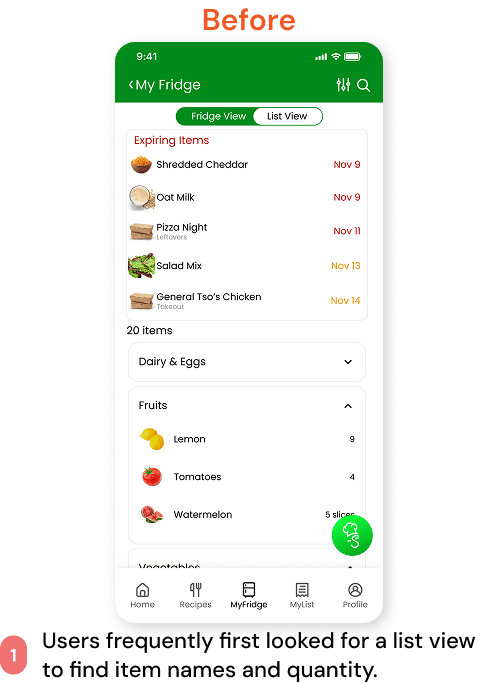
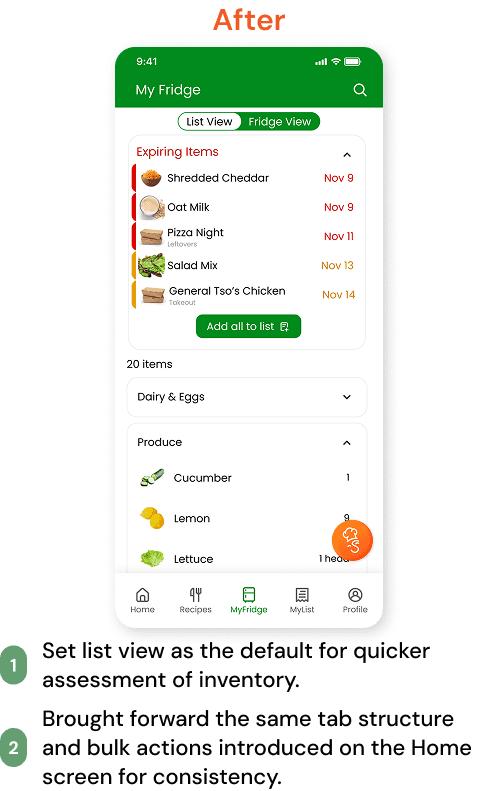
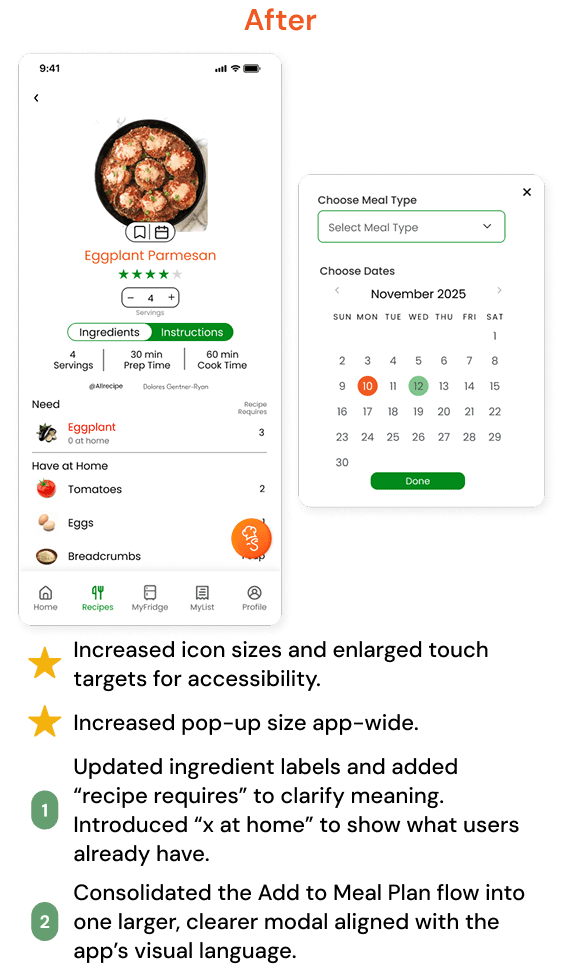
Recipes
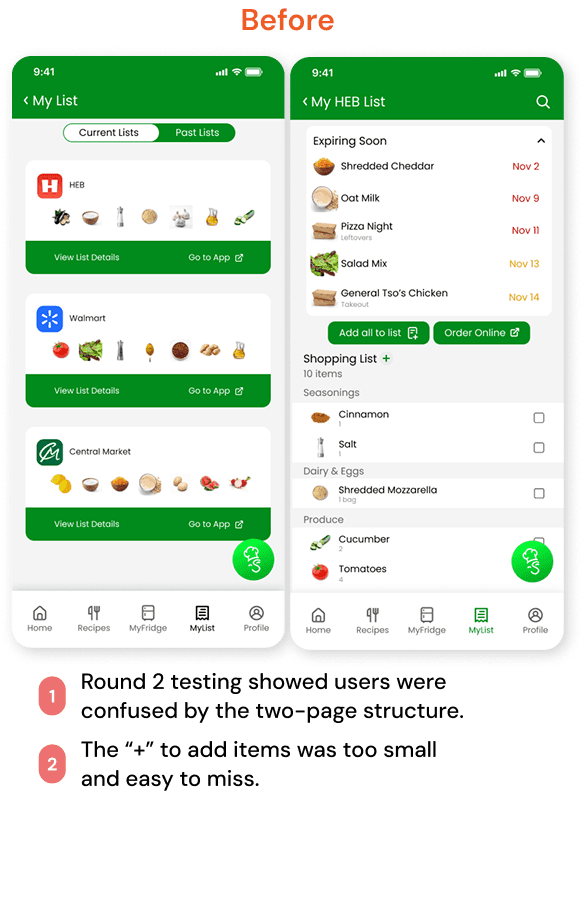
Shopping List
Challenges
Synthesizing large amounts of user feedback quickly.
Designing and refining high-fidelity flows under tight time constraints.
Balancing clarity, hierarchy, and feature density across complex screens.
Lessons Learned
I learned how much even small changes can improve, changes in spacing, labels, and hierarchy mattered more than new features.
Iteration is where my curiosity spikes. Watching users hesitate or improvise gave me design “a-ha” moments that shaped nearly all of our improvements.
Organizing insights matters as much as generating them. The framework I created for synthesizing our Round 3 testing kept the team aligned and made decisions easier.
Leading the visual system helped me understand how consistency across components reduces cognitive load.
Key Takeaways
Clear hierarchy = faster decision-making.
If users have to ask “What does this do?” the design isn’t done yet.
Dynamic interactions make flows feel more intuitive.
Labels and affordances must match how users naturally think.
Future Work
While we accomplished a lot within the timeframe, there are several features and improvements I’d love to continue developing.
Build out CookMode with hands-free step progression.
Expand AI SousChef recommendations and other AI features.
Design the full MyRecipes experience (importing, sorting, saving).
Add profile settings and household preferences.
Explore third-party grocery integrations and list-sync behavior.
Continue additional usability testing all all future features!